
Text Editor Online – Free Browser‑Based Editing

Introduction
Need to tweak a résumé, clean up code, or replace text in a PDF—but don’t want to download bulky software? The free online text editor from ToolsGlide puts a full‑featured word processor, plain‑text pad, and PDF text editor inside your browser. No sign‑up, no watermark, no hassle.
Why Use an Online Text Editor?
- Zero Installations – Works on Windows, macOS, Linux, tablets, and phones.
- Speed & Convenience – Open, edit, export within seconds.
- Security – Files process client‑side or auto‑delete from the server after 30 minutes.
- Collaboration – Share a link; your team comments or co‑edits in real time.
Core Features
Plain‑Text & Markdown Mode (plain text editor online)
Toggle to Plain‑Text for distraction‑free writing or switch to Markdown for headers, lists, and code fences. Syntax highlighting makes JSON, HTML, and Python easy to scan.
Word‑Style Formatting (online text editor like Word)
Need rich text? Activate WYSIWYG mode:
- Bold, italics, underline, headings 1‑6
- Bullet & numbered lists
- Tables and block quotes
- Real‑time word count
PDF Editing & Replace Text (online pdf text editor free)
Upload any PDF, click Replace Text, and type your changes. The layout remains intact. Export without watermarks—perfect for quick contract edits.
Step‑by‑Step: Editing Your First Document
- Launch the Editor
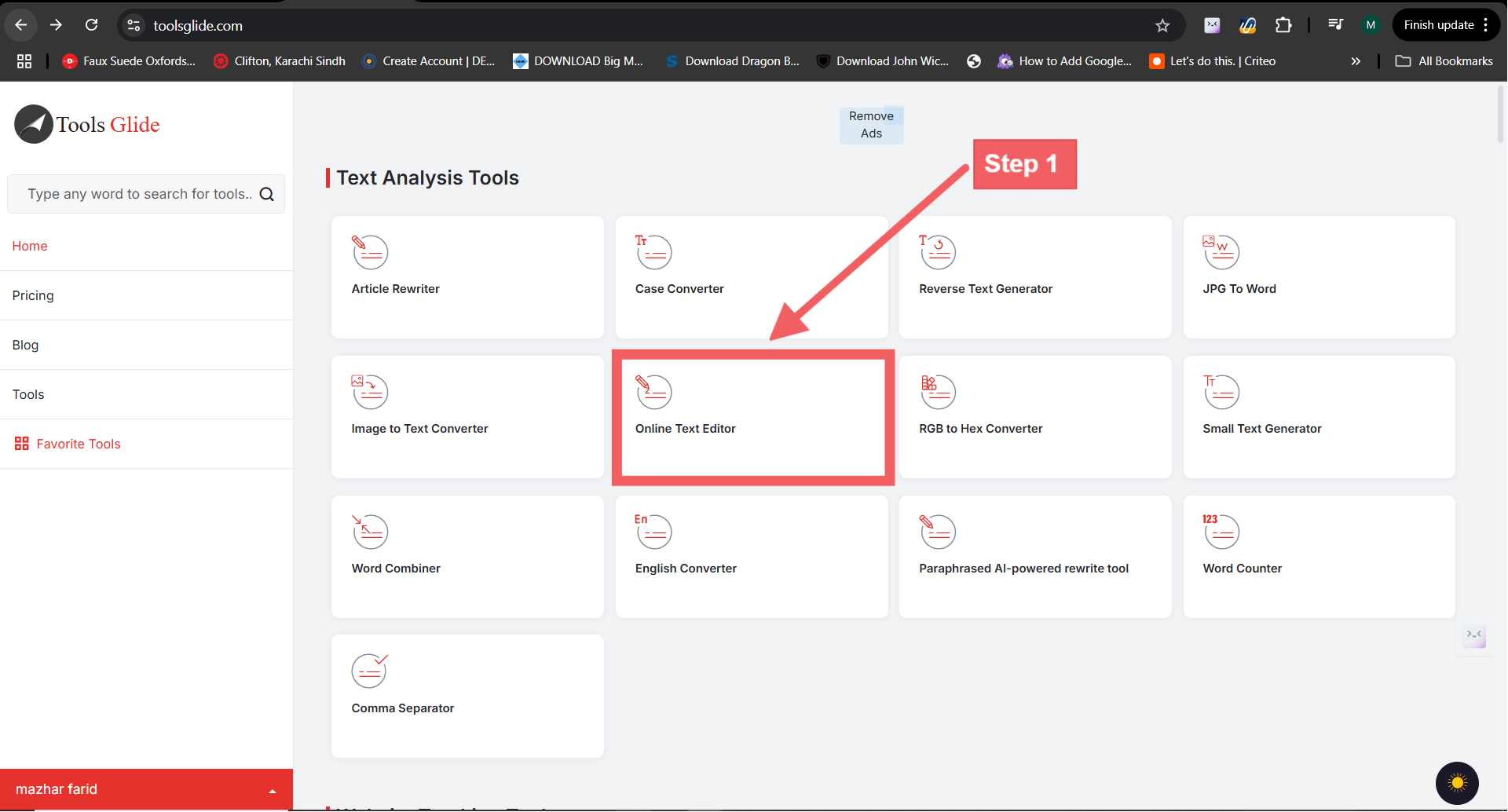
Open the Online Text Editor —it loads in under two seconds.
- Import or Paste Content
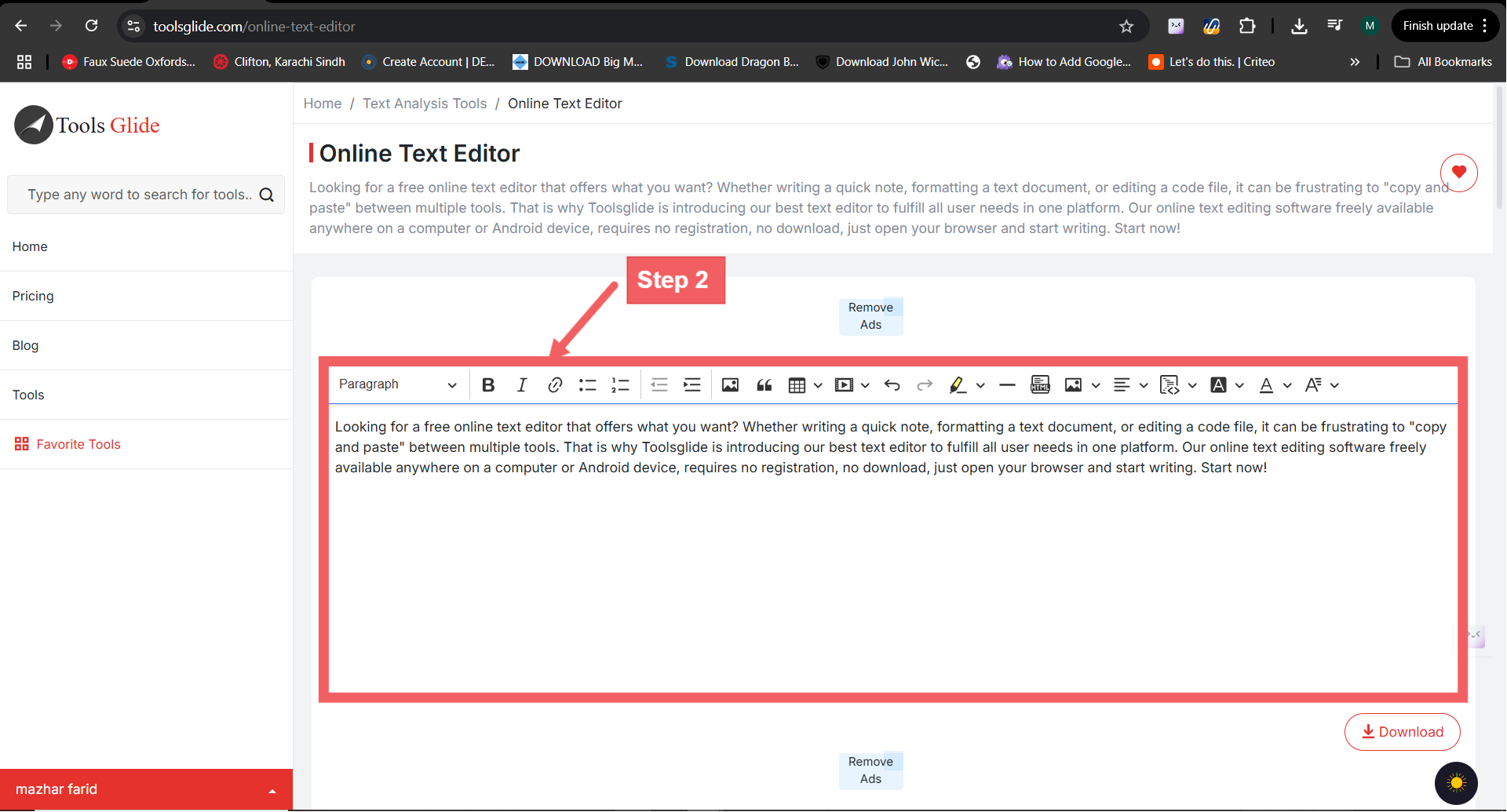
• Drag‑and‑drop TXT, DOCX, or PDF files, or
• Paste text directly into the canvas.
- Choose Your Mode
• Plain‑Text
• Markdown
• WYSIWYG (Word‑style)
• PDF Replace
- Make Edits
Use the toolbar or keyboard shortcuts. Auto‑save captures every keystroke.
- Export & Share
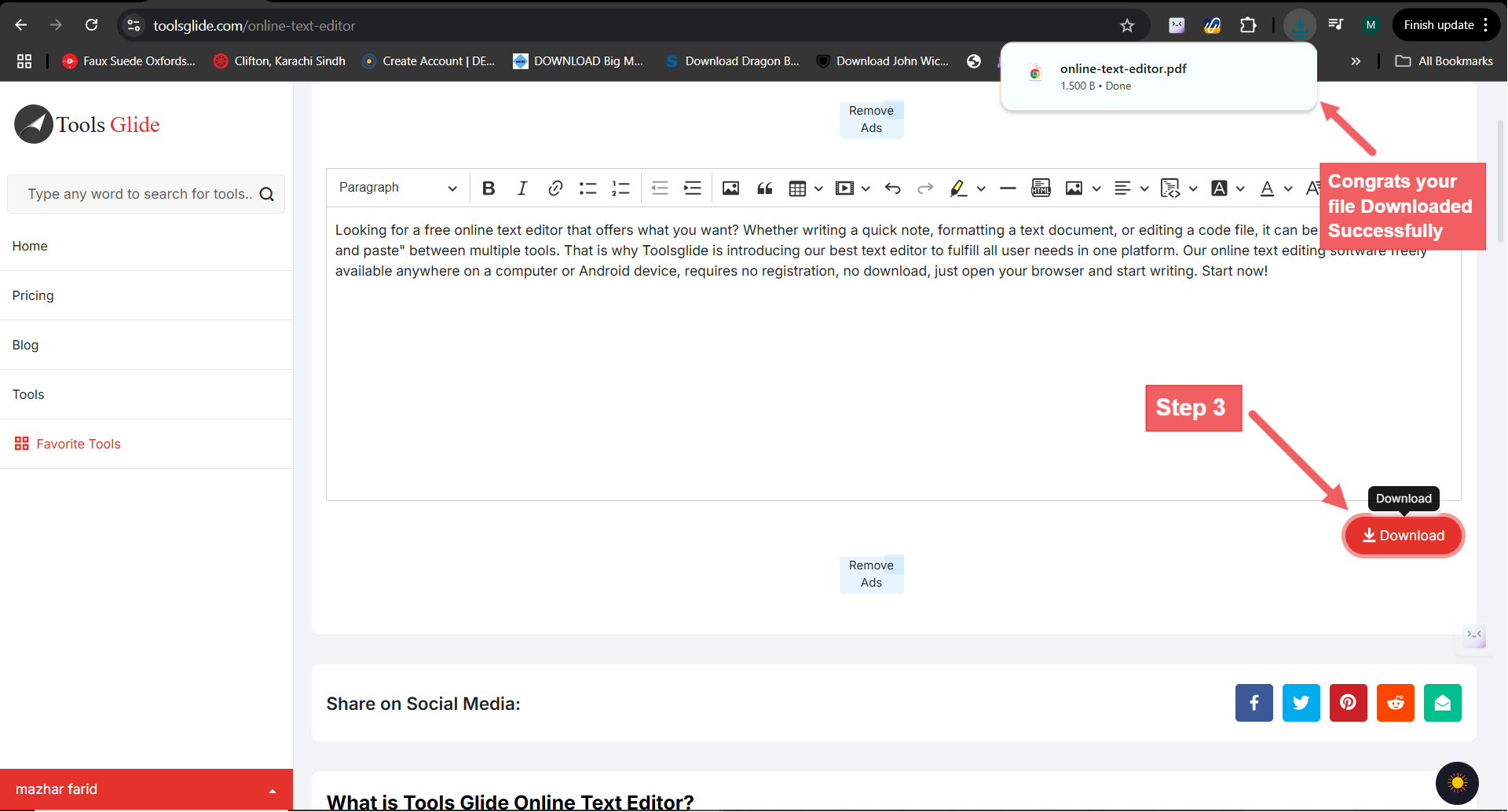
Click Export and choose PDF, DOCX, HTML, or Markdown. Send the share‑link for real‑time collaboration.
Popular Use Cases
| Use Case | Benefit |
|---|---|
| Developers | Quick code tweaks without opening an IDE |
| Students | Group project notes with real‑time edits |
| Marketers | Draft blog posts in Markdown, export to CMS |
| Legal & HR | Edit contracts or policies in PDF, keep layout |
| Remote Teams | Share a link, co‑edit anywhere in the world |
Advanced Tips & Shortcuts
- `Ctrl/Cmd + B` – Bold
- `Ctrl/Cmd + X` – Cut
- `Ctrl/Cmd + C` – Copy
- `Ctrl/Cmd + V` – Paste
- `Ctrl/Cmd + A` – Select All the Text
- `Ctrl/Cmd + Shift + S` – Strike‑through
- `/preview` – Toggle Markdown preview
- Dark Mode: Click the moon icon for glare‑free night writing.
- Version History: Restore any previous save point within 7 days.
H2 FAQs
Q: Is the online text editor really free?
A: Yes—no credit card, watermark, or sign‑up required.
Q: Can I edit PDFs and keep the formatting?
A: Upload the PDF, replace or add text, then export; original layout stays intact.
Q: Does the editor support Word‑style formatting?
A: Bold, italics, headings, bullet lists, and tables are all available in WYSIWYG mode.
Q: How secure is my content?
A: Files are processed in‑browser and auto‑deleted from servers after 30 minutes of inactivity.
Q: Can I download my work as DOCX or Markdown?
A: Yes—export options include PDF, HTML.
Conclusion & CTA
Ready to edit instantly? Launch the Free Online Text Editor and start writing, coding, or fixing PDFs in seconds—no sign‑up needed.
Need to perfect your on‑page SEO while you’re at it? Run your draft through our Meta Tag Analyzer and ship pages that rank higher, faster.