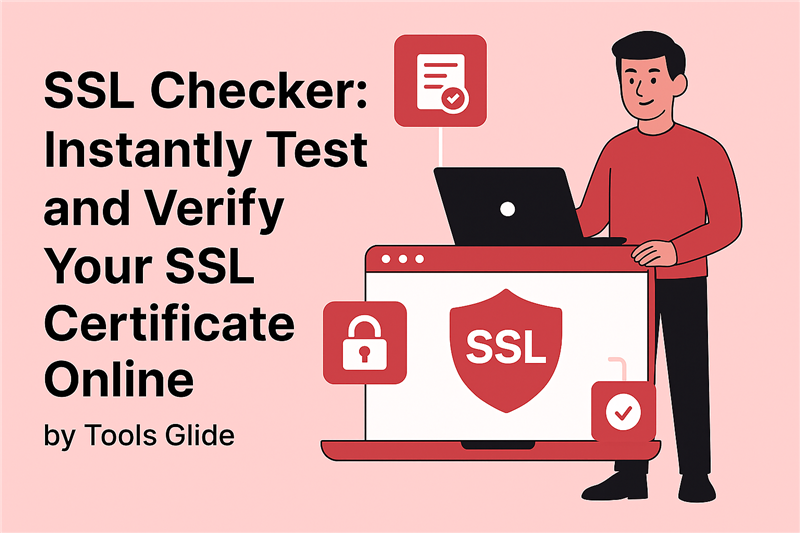
SSL Checker: Instantly Test and Verify Your SSL Certificate Online
SSL certificates are important for keeping data safe and earning users' trust in the digital world we live in now. Having an SSL checker on hand can help you make sure your website is safe and trustworthy, whether you're running a personal blog or a professional online store. This free tool lets you test SSL certificates right away, see if they are about to expire, and find any setup problems that could affect how users experience your site or how well it ranks in search engines.
SSL Certificate Checker: Identify Expiry Dates and Misconfigurations
An SSL certificate checker is a piece of software that checks the validity of your website's SSL certificate. It helps find out if the certificate is real, when it expires, and if it's set up properly. People who visit your site may get warnings or SSL protocol errors if you don't properly verify your SSL. This could make them leave your site.
Top Benefits of Using an SSL Checker:
- Check the legitimacy of the license right away.
- Find the certificate's provider and the date it expires.
- Find possible setup errors.
- Make sure that the right SSL methods are used.
- Avoid security risks and costly downtime.
Web developers, digital marketers, and business owners who want to keep their websites running smoothly and building trust with users will find SSL checkers very useful.

Why Does SSL Matter And How To Check It?
What is an SSL Certificate?
This is a digital certificate called an SSL certificate that verifies a website and protects data sent between the server and the user. It's easy to spot because the URL starts with "https://" and your browser's search bar shows a lock icon.
SSL makes sure that private data like credit card numbers, login information, and personal details stay safe while they are being sent.
How to Check Your SSL Certificate?
There are several ways to make sure that an SSL certificate is real:
- Check your SSL with a free tool like the one ToolsGlide offers.
- You can see more about the certificate when you click the padlock icon in your browser.
- Use command-line tools if you are a developer.
- Use web hosting control panels, such as cPanel or Plesk.
An SSL check helps make sure that your certificate is:
- Issued by a trusted Certificate Authority (CA).
- Properly set up on your server.
- Not expired or revoked.
Common SSL Protocol Errors and How to Fix Them
You could get SSL protocol problems even if SSL is loaded. These errors can happen because of old settings, problems with browser compatibility, or certificates that have expired.
Some Common SSL Errors:
- ERR_SSL_PROTOCOL_ERROR
- SSL Handshake Failed
- NET::ERR_CERT_AUTHORITY_INVALID
- Your connection is not private
How to Fix SSL Protocol Errors:
- Keep your SSL certificate up to date: Always use a valid certificate from a trusted CA.
- Clear your browser's cookies and cache: New settings may conflict with old cached data.
- Enable the correct SSL/TLS protocols: Ensure your server supports newer versions like TLS 1.2 or TLS 1.3.
- Check for mixed content: Ensure all site elements load via HTTPS.
- Fix your server settings: Incorrect configurations can block secure connections.
Regularly using a test SSL certificate tool helps find and fix these issues before they impact your visitors.
How SSL Affects SEO, User Trust, and Website Performance
Using SSL not only keeps your website safe but also improves its SEO and performance.
Benefits of SSL for SEO and Performance:
- Better search engine rankings (Google uses HTTPS as a ranking signal).
- Higher user trust and confidence.
- Faster loading speeds due to HTTP/2 support.
- Increased conversions because users feel secure.
SSL is no longer optional — it’s essential for staying competitive online.
SSL and HTTPS: What’s the Connection?
HTTPS stands for Hypertext Transfer Protocol Secure — the secure version of HTTP. When a website uses HTTPS, it means SSL is being used to encrypt and protect data.
Running an SSL test ensures your website is using HTTPS and that it's functioning correctly. If not, your site might get flagged as "Not Secure" by browsers and search engines.
Types of SSL Certificates: DV, OV, EV
SSL certificates come in different types, based on the level of validation:
1. Domain Validation (DV):
- Quick and easy to obtain
- Verified domain ownership
- Best for personal websites and blogs
2. Organization Validation (OV):
- Confirms domain and organization details
- Ideal for small business and educational websites
3. Extended Validation (EV):
- Highest level of verification
- Displays the company name in the browser's address bar
- Perfect for e-commerce and corporate websites
With a good SSL checking tool, you can easily find out what kind of certificate your website uses.
What Kind of Information Does an SSL Checker Give You?
An SSL checker provides detailed information such as:
- Certificate expiration date
- Certificate Authority (CA)
- Domain and subdomain coverage
- Certificate type (DV, OV, or EV)
- Server response time
- Supported SSL/TLS versions
- Any security weaknesses or misconfigurations
This data helps you ensure your certificate is always valid, secure, and properly configured.
Use the MozRank Checker as a Bonus Tool to Improve Your SEO Authority
To build a trustworthy online profile, you need to monitor both your SSL status and your domain authority — and that’s where the MozRank Checker comes in.
What Does MozRank Mean?
MozRank is a metric created by Moz that evaluates page popularity based on the quantity and quality of backlinks. It scores from 0 to 10, with higher scores indicating better authority.
Why Use a MozRank Checker?
- Monitor your site's backlink profile
- Measure your site’s authority and trust in search engines
- Track SEO improvements over time
- Compare your SEO score with competitors
- Improve your link-building strategies
MozRank helps enhance your domain’s SEO health and works hand-in-hand with SSL for building trust and visibility.
Conclusion
The easiest and most effective way to keep your website secure and optimized is to use an SSL checker. Whether it’s confirming HTTPS, checking expiry dates, or troubleshooting protocol issues, this tool is essential for modern website management.
SSL improves security, SEO, user trust, and speed. Combined with tools like the MozRank Checker, you get a complete picture of your site's strength and performance.
Start now — use Tools Glide's SSL Checker and MozRank Checker to keep your website fast, safe, and Google-friendly!