.webp)
Free Online Meta Tag Generator: Create SEO‑Ready Tags in Seconds

Why Meta Tags Still Matter in 2025
Organic clicks depend on first impressions. Google rewrites roughly 61 % of titles that exceed its length guidelines, and social platforms refuse to pull rich previews when Open Graph tags are missing. Properly formatted title, description, and OG/Twitter tags:
- Boost click‑through rate (CTR) by up to 25 %.
- Prevent embarrassing truncation or keyword stuffing penalties.
- Control how your content appears when it’s shared on Slack, LinkedIn, X, or WhatsApp.
Yet hand‑coding tags for every page is tedious. That’s why our Free Online Meta Tag Generator spins out perfect HTML snippets in under 30 seconds.
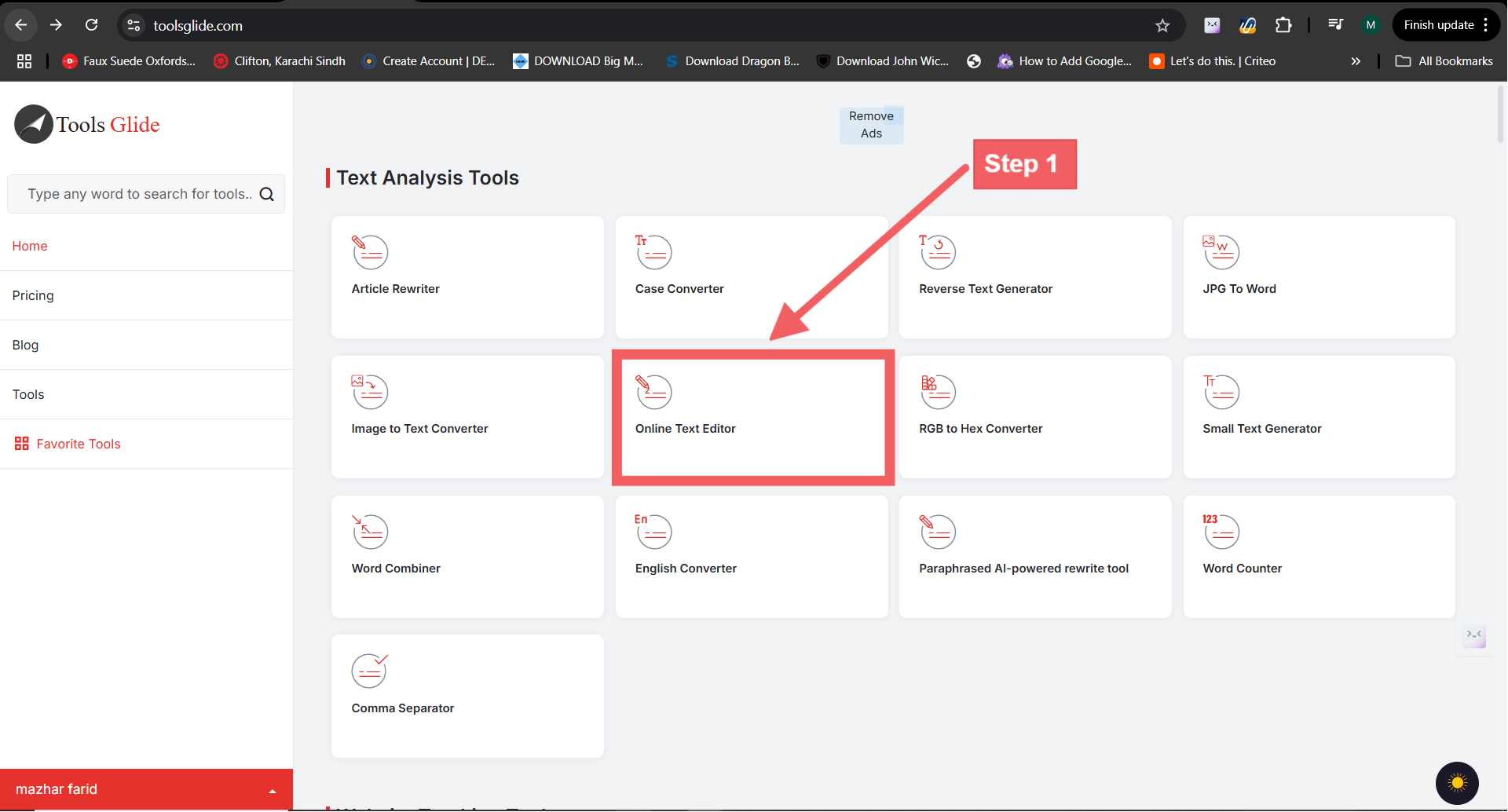
Live Demo: Generate Meta Tags in 4 Easy Steps
Enter Page Title
• Keep it ≤ 60 characters.
• Front‑load the primary keyword: “Free Meta Tag Generator Online”.
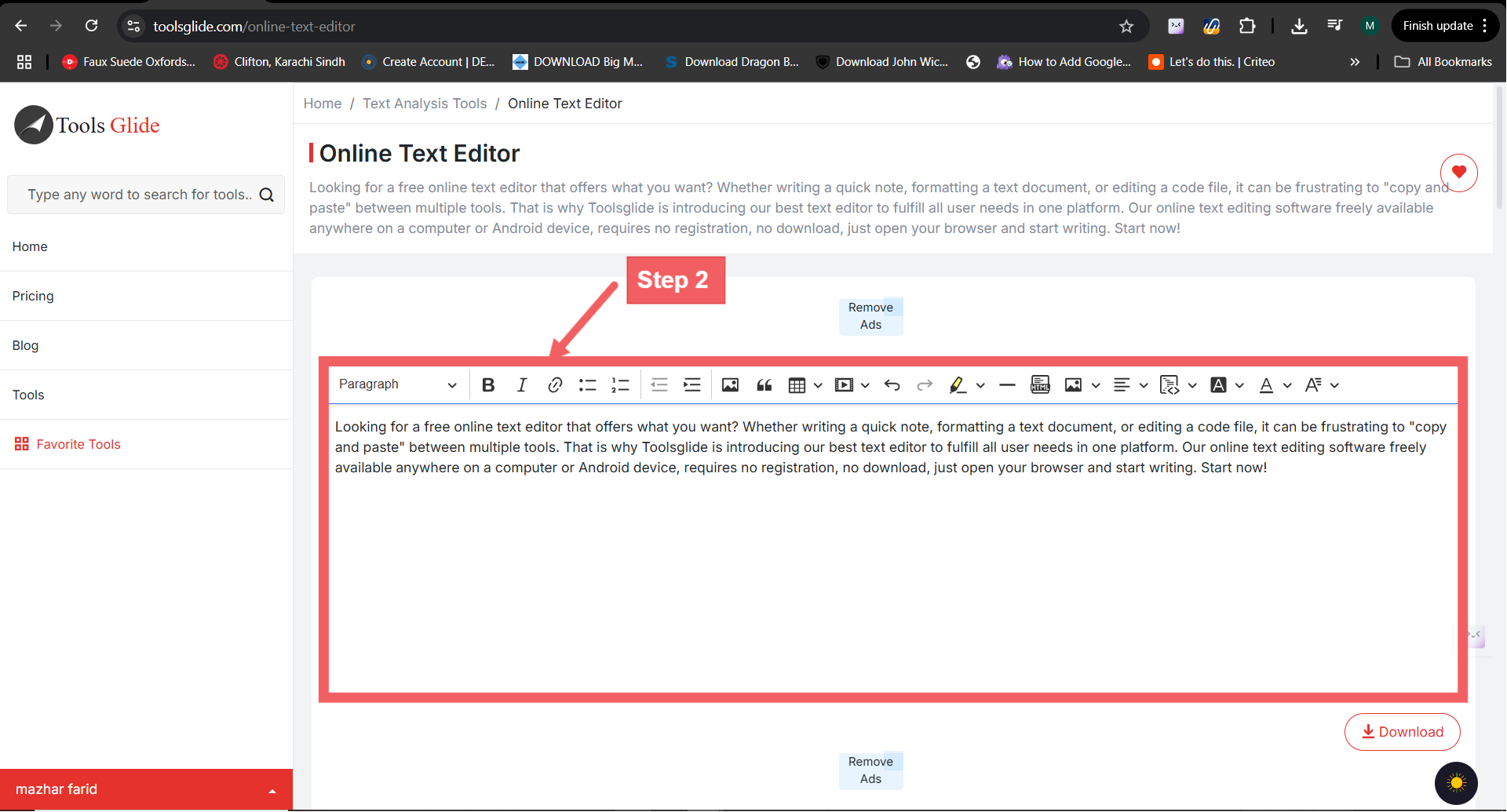
Add Meta Description
• Aim for 155–160 characters.
• Include a benefit + CTA: “Generate SEO‑ready HTML meta tags in seconds—no signup required.”
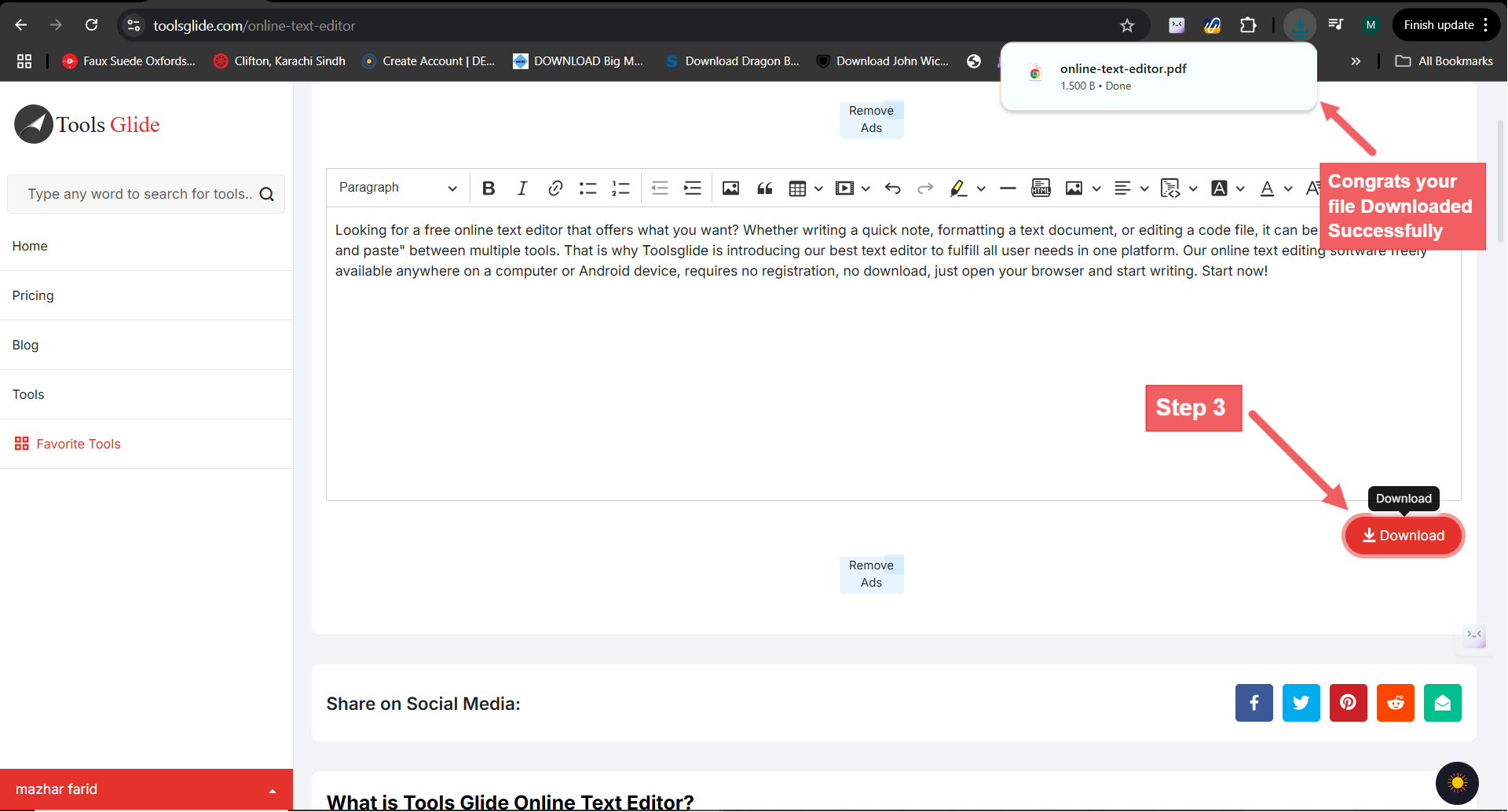
List Optional Keywords
• Separate with commas (e.g., meta tags, SEO, generator).
• Heads‑up: Google ignores the keywords tag, but Bing and smaller engines still crawl it.
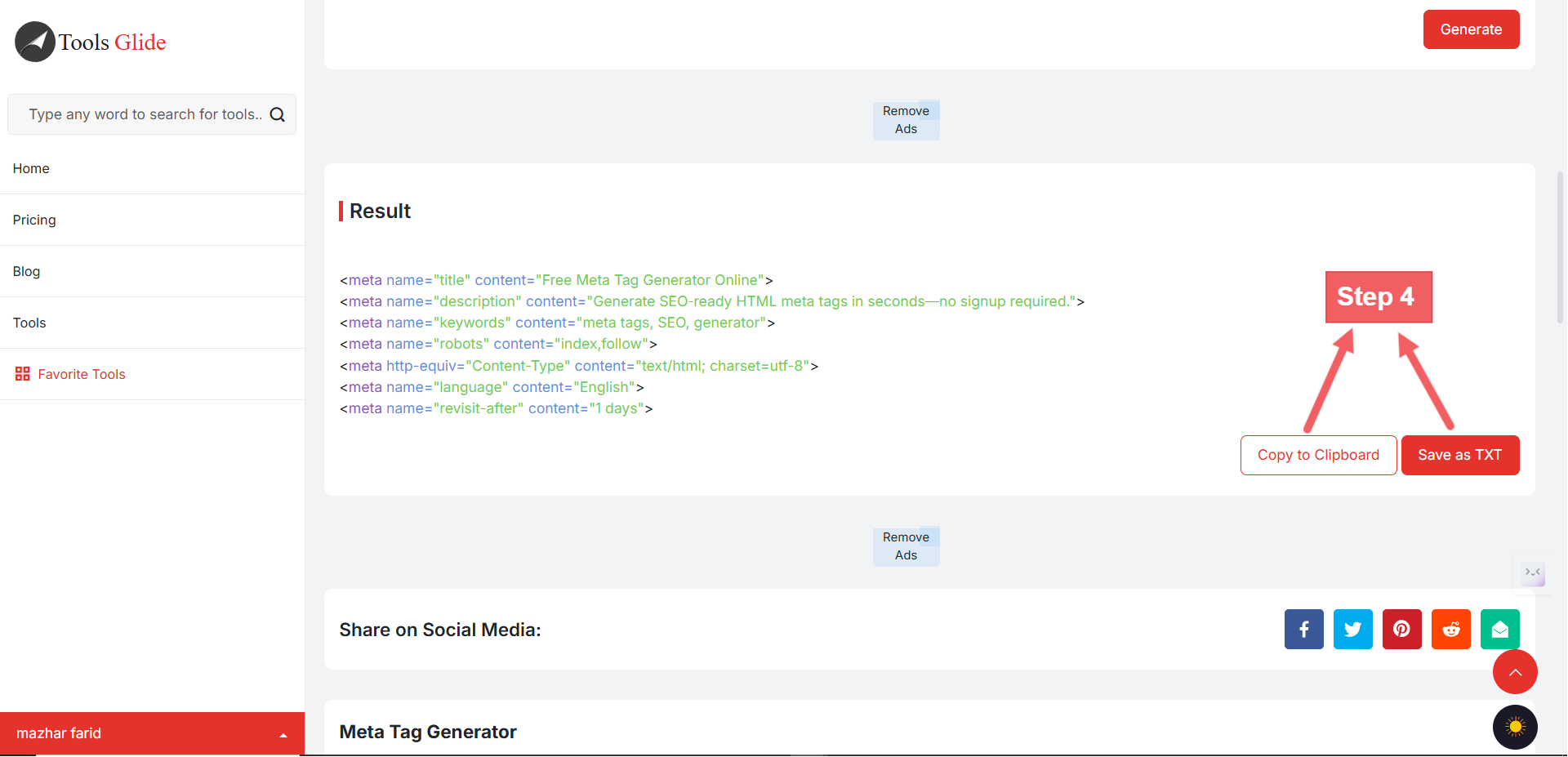
Copy the HTML Snippet
Free Meta Tag Generator Online | ToolsGlide
Copy‑paste the block into your page’s —you’re done!
Customization Options (Advanced Panel)
| Option | Why It Matters | Quick Tip |
|---|---|---|
| Open Graph Image | Drives richer previews on Facebook, LinkedIn & Slack. | 1200 × 630 px, <150 KB, JPG/WEBP. |
| Twitter Card | Uses summary_large_image for bigger preview. | Same dimensions as OG image to reuse assets. |
| Robots Tag | Dictates indexing/follow rules. | Default = index,follow; set noindex for landing pages in A/B tests. |
| Viewport | Ensures mobile responsiveness. | Keep default unless custom scaling needed. |
Where to Paste the Tags
WordPress (Yoast / RankMath)
- Navigate to the page → SEO section → Advanced tab.
- Paste title & description into the provided fields.
- For custom OG/Twitter tags, toggle “Social” and drop them in.
Shopify
- Online Store → Themes → Edit
theme.liquid. - Insert tags right before ; save & preview.
Raw HTML or Static Site Generators (Hugo, Jekyll)
- Open the page template.
- Paste the snippet inside the partial.
- Re‑build and deploy; validate with the Facebook Sharing Debugger.
💡 TIP: Always clear caches/CDNs and run the Open Graph Debugger after updating tags.
5 Common Mistakes & How to Avoid Them
| Mistake | Consequence | Fix |
|---|---|---|
| Duplicate Titles | Cannibalizes rankings. | Add unique brand or feature modifiers. |
| Over‑length Descriptions | Google truncates, lowering CTR. | Keep ≤ 160 chars; test in SERP emulator. |
| Missing OG Image | Bland thumbnail or none at all. | Upload 1200 × 630 px image; declare in OG tag. |
| Keyword Stuffing | Looks spammy; may trigger rewrite. | Limit to 1–2 focus keywords. |
| Forgetting HTTPS URLs in OG | Broken previews on secure platforms. | Use full https:// path in og:image. |
FAQ Section
Q: Do meta keywords still affect Google rankings?
A: Google no longer considers the meta keywords tag for ranking, but Bing, Baidu, and Yandex still crawl it. Adding a short, relevant list can help on those engines.
Q: Is the generator 100 % free?
A: Yes—no signup, credit card, or email address is required. Optional Pro features will be released separately.
Q: Can I bulk‑generate tags for many URLs?
A: Bulk generation available in this free tool.
Q: How many meta keywords should I use in a meta tag?
A: Aim for 5–10 focused terms. Overstuffing (> 10 keywords) dilutes keyword relevance and looks spammy.
Q: What are website tags and how do they differ from meta tags?
A:
- Website tags (or site tags) often refer to user‑facing labels (e.g., blog post categories).
- Meta tags are invisible HTML elements (``) in the ``, used for SEO and social previews.
Q: How do I add or edit a meta description in WordPress?
A:
- Install an SEO plugin (Yoast or RankMath).
- Open the post/page → SEO panel → Meta Description field.
- Paste your generated description (155–160 characters) → Update.
Q: What is a meta refresh and when should I use it?
A:
- A meta refresh tag (``) redirects browsers after a set time (5 seconds).
- Use sparingly for legacy support—prefer server‑side redirects (301/302) for SEO.
Ready to Elevate Your Meta Tags?
Optimize every page in seconds with our Free Meta Tag Generator.Instantly craft SEO‑ready , and social preview tags—no signup required.
For deep audits and actionable insights, try our Meta Tag Analyzer.Scan your site, identify missing or misconfigured tags, and boost your organic CTR today!